
Postscript: Idle Frontier and on developing games with AI
Can you bootstrap your way from annotating data to training a frontier model in one thousand days? Play Idle Frontier!
In this blog post, I want to share my experience developing this game with the aid of Opus 5 (which I’ll just call Claude from now on). My goal is to give a tempered perspective on AI-aided game development: something in between those zero-shot-three-js games that are popular recently and the no-AI-in-my-workflow crowd. Note that I’m just a hobbyist game developer. I learned pixel art and Godot and made four games before, but nothing too fancy.
But first, how did this game come to be?
The Idea
One of my projects during the first term of my PhD was a literature review of language model development in the context of data and compute constraints.1 Language models require a lot of these resources; this has been formalized into a set of scaling laws by Kaplan et al. (2020) and Hoffmann et al. (2022). However, how do you build language models in environments where these resources are scarce, such as in the Global South? I think this type of problem has a certain shape that can be simulated as a resource engine problem. Initially, I thought of doing a card game about this, à la Blackjack, but I came across Inn Over Your Head and realized that balancing data and compute makes a perfect idle incremental game!
I believe that the “clicking” action being about annotating data is quite apt: it’s one of the few levers that you can actually control. Sure, you’re gonna spend a lot of time and money if you want to annotate a huge corpus, but it’s virtually possible if you really want to. Then, that’s where the research mechanic came in to ease the burden of annotation (e.g., synthetic data gives you some data), and with that, I realized that there’s a game there.
I admit that the released version of Idle Frontier is quite different from how I initially conceptualized it. Here, there’s not much focus on Global South realities, as the final goal is to build a frontier-class language model. I tried to steer it back by constraining compute such that you don’t have a way to earn it aside from grants, but it made the gameplay too constraining and unfun. The only part that survived is the Sovereign AI grant mechanic, which gives you a trickle of compute to fulfill national objectives. I might revisit this idea again in the future, but as a first pass, I’m quite happy with where Idle Frontier ended up.
Game Development with AI
In this section, I’ll talk more about my experience in developing Idle Frontiers using Claude, in the context of three aspects: programming, art, and gameplay.
Programming
Language models have been really good at coding tasks recently, and I think this is where Claude helped me the most. The last time I made a game was back in 2022 using Godot 3, and in the four years since, Godot has shipped a major update. In addition, I am not quite proud of my GDScript coding hygiene: most of my game dev projects have spaghetti code or random patches here and there.2 Working with Claude has helped me with two things: migrating my rusty Godot 3 knowledge to the new version and learning actual game design patterns. Yes, I did learn a few new tricks just by reading Claude’s code!
One example of this is in my use of signals.
I learned that signals are now objects and we call them using await in Godot 4 instead of yield(...) in Godot 3.
In addition, I also learned about the event bus pattern when handling multiple signals together:
signal data_changed(total: int)
signal mission_claimed(mission: Mission)
signal grant_claimed(grant: GpuGrant)

func add_data(amount: int) -> void:
    data += amount
    EventBus.data_changed.emit(data)

func _ready() -> void:
    EventBus.data_changed.connect(_refresh)
So instead of keeping track of every signal I created, I can just use the EventBus as the handler for any changes—awesome!
My workflow for Idle Frontier was to start constructing the scene in the Editor and write the functions for the interaction I want. Initially, I asked Claude to help me with bugfixes and debugging, but I’ve been quite impressed with its skill in interacting with Godot (without any add-ons!). In fact, some of the Screens were done by Claude end to end. Although I can definitely imagine a Godot game done by Claude with minimal human input (similar to those zero-shot three-js games), there are still a lot of details that Claude missed. For example, there are many moments when implementing a new feature breaks another, or like the screen has elements that are spaced weirdly. What I found helpful is to always have the general “shape” or context of the codebase in your head, and let Claude implement the details. The challenge usually is that when you vibe-code a lot, you lose your understanding of the organization of your codebase, and you’re left with a frustrating whack-a-mole of patches.
Despite these limitations, Claude has helped me get reacquainted with Godot faster. To be honest, this was one of the reasons I hadn’t gone back to game dev in the past few years. Relearning a framework is kind of a bummer, but Claude has helped me ease into Godot again!
Art & Assets
Claude, through its tool use capabilities, can already interact with Aseprite to draw pixel art. But from my experience, I don’t think it’s quite there yet. For example, it had a hard time drawing and animating a llama—so instead, I drew it myself. I tried many things to nudge Claude such as giving it a reference picture or describing it in a verbose manner. One thing I learned about my process is that there’s a specific vibe that I’m aiming for, and it is hard to express this vibe into words, as “I’ll know it when I see it.” Perhaps, that’s why it’s easy for me to iterate on Aseprite rather than in a chat box.
Despite this limitation, Claude has been quite good in drawing very simple icons for the UI:
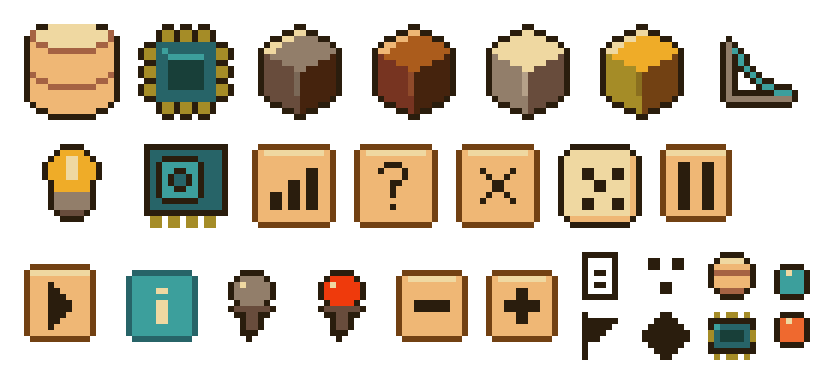
This one is quite useful because I can just describe what I need (e.g., “can you draw a chip?”) and it will be exported immediately. Claude is also quite good in workflow-related tasks such as creating a canvas, exporting to PNG/GIF, or creating a spritesheet. It’s actually very cool; I can just say “create a lightbulb and an 8-cycle animation of it turning on.” Again, it’s pretty good at these basic time-saving activities.
As an aside, I am not really sure if Claude’s drawing limitations is due to its harness. When I counted the number of tool calls in Aseprite, here’s what I got:
| Function | Number of Calls | Percentage |
|---|---|---|
run_lua_script |
145 | 64.4% |
export_sprite |
39 | 17.3% |
export_spritesheet |
20 | 8.9% |
create_canvas |
14 | 6.2% |
get_sprite_info |
6 | 2.7% |
set_palette |
1 | 0.4% |
It seems that in most operations, Claude is just passing Lua scripts to Aseprite instead of using the granular drawing tools (e.g., draw_line, draw_polygon, draw_pixels, etc.).
So in some way, it is actually circumventing the “spirit” of the tool call and instead, rely on its coding capabilities.
When I inspect the Lua call, it’s full of for-loops and shifts, which is reasonable in retrospect:
although there is a draw_pixels tool, using it would require sending hundreds of tool calls (one for each coordinate) to Aseprite.
Perhaps Claude found that just sending Lua code with a for-loop is much more efficient.
…in some way [Claude] is actually circumventing the “spirit” of the tool call and instead, rely on its coding capabilities.
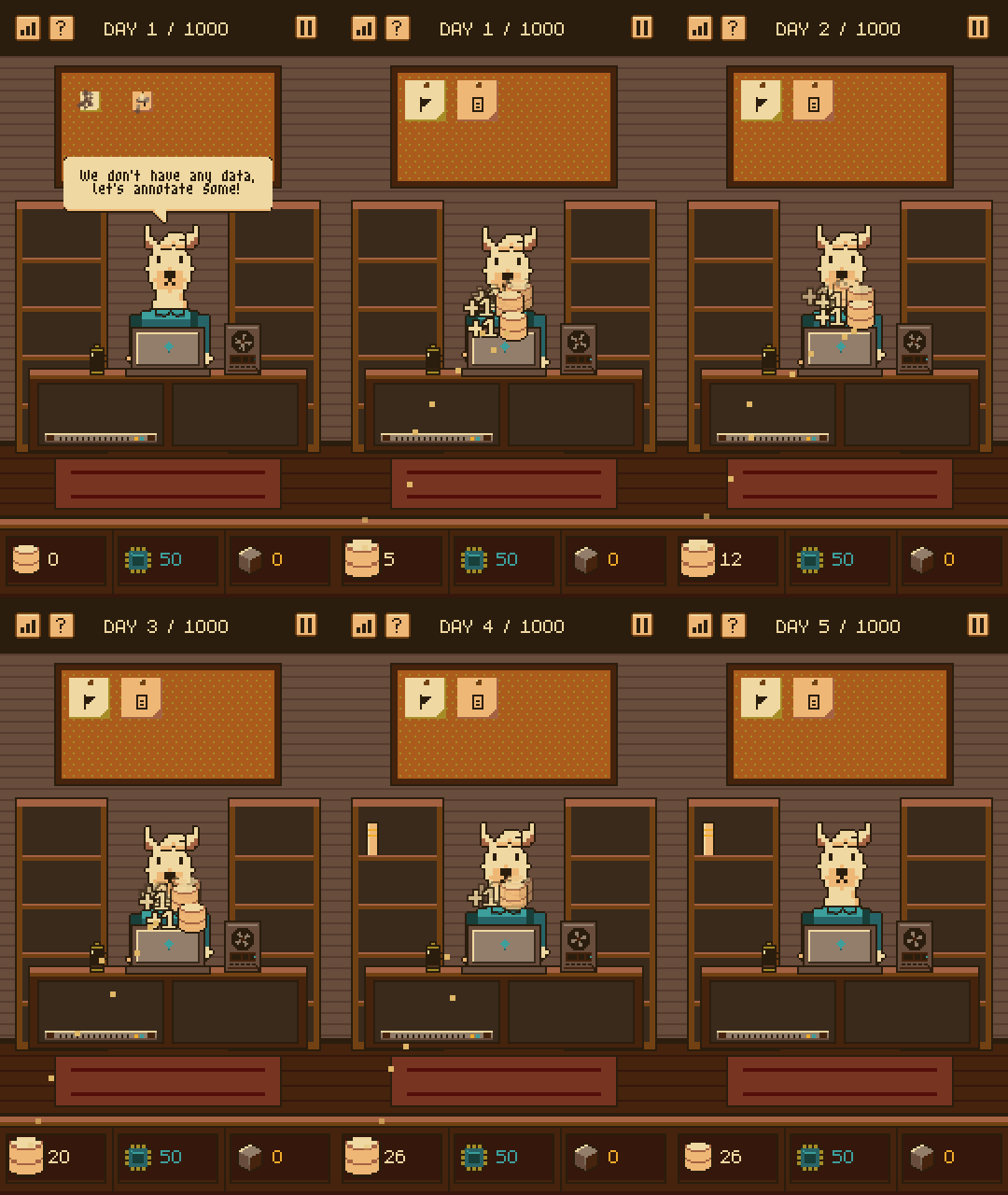
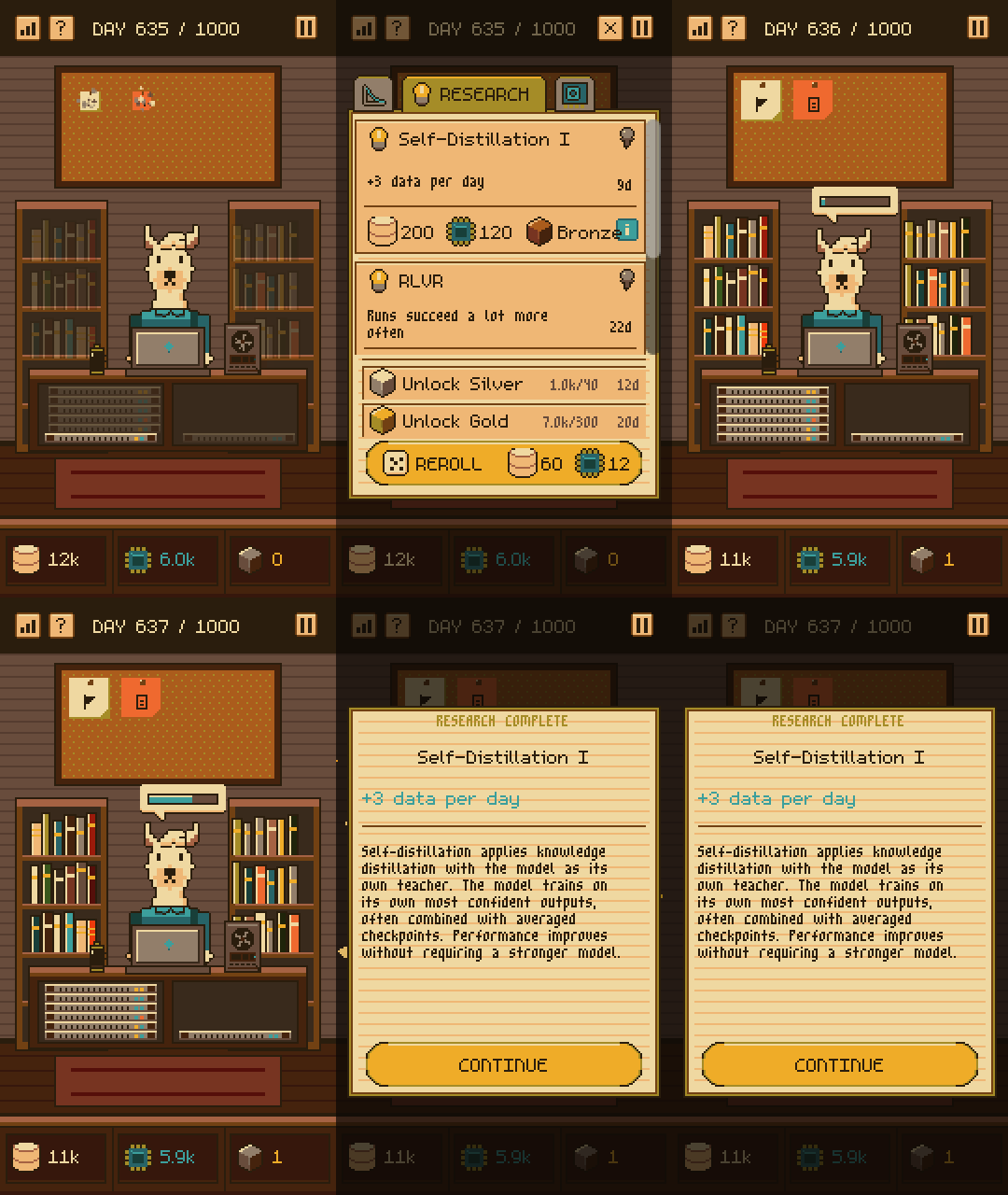
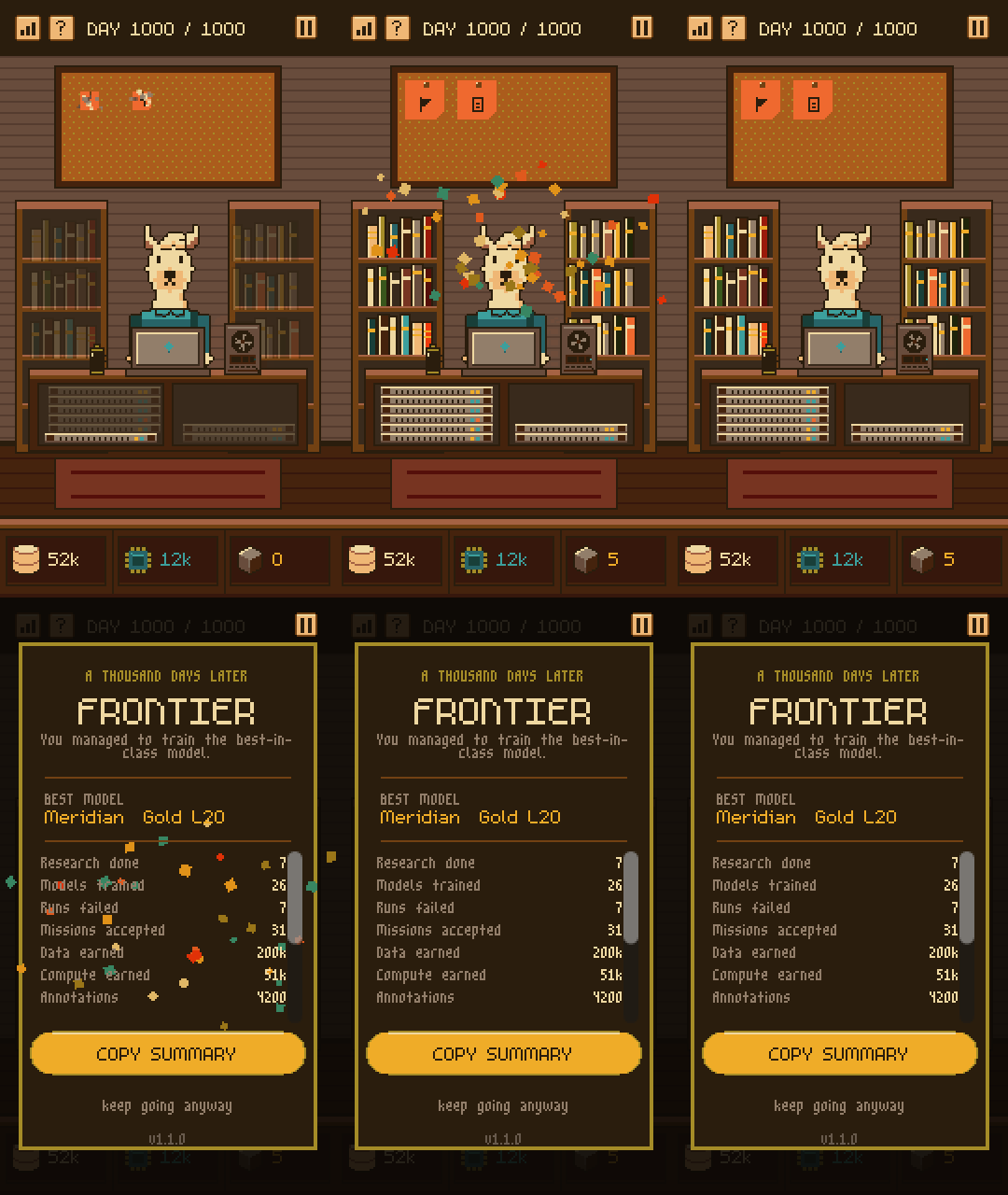
Finally, if there’s one thing that Claude wowed me, it’s in making storefront assets. Just look at these GIFs! I just told Claude to clip a gameplay I want, and it created a scaffold for building custom GIFS at different parts of the run. This is definitely a new unlock for me and I can imagine this to be useful in the future.
Gameplay
For the two aspects above (Programming and Art), I can say that Claude’s value-add here is in efficiency. I can basically do these things if I spend more time and energy. However, if there’s one aspect of game dev that I believe Claude can do better than me, it’s in figuring out the right balance for a game about building a strong economic engine.
The core challenge in Idle Frontier is creating the highest tier model possible within a limited time frame. You cannot brute-force your way by just annotating data, and the compute you initially have is quite limited. Therefore, you need to perform several activities such as doing research or applying for grants that will improve your income so that you reach several milestones and train better models. It’s important to pace these milestones so that a player has something to aim for while still seeing the fruits of their labor. There are so many variables to consider that making balancing decisions is quite difficult, as it’s hard to ascertain how they’ll influence the runs.
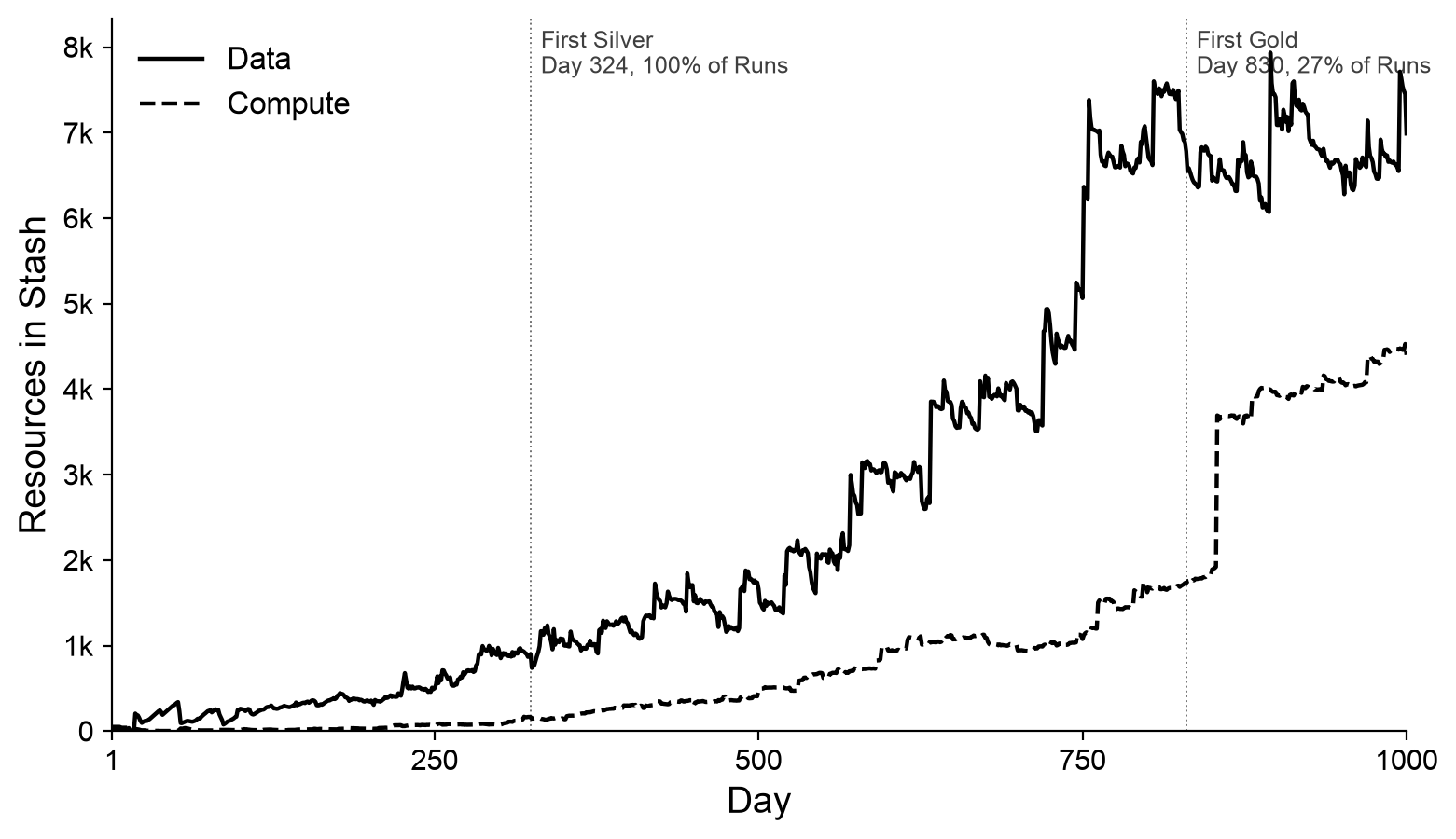
Claude has been helpful in building a simulator based on the game’s many variables. At first, I started iterating on a Python file:3 I bootstrapped the gameplay loop and simulated many conditions to assess a player’s expected resource levels (data and compute) at Day 250, 500, 750, and 1000. That itself has been helpful for me to tweak the numbers and figure out mechanics that were missing. This is also where the coffee mechanic came in, where a player can have a massive boost in income. But most importantly, Claude has been really good at spinning up a UI simulator based on my Python simulation, which actually allowed me to test any balancing changes while playing!
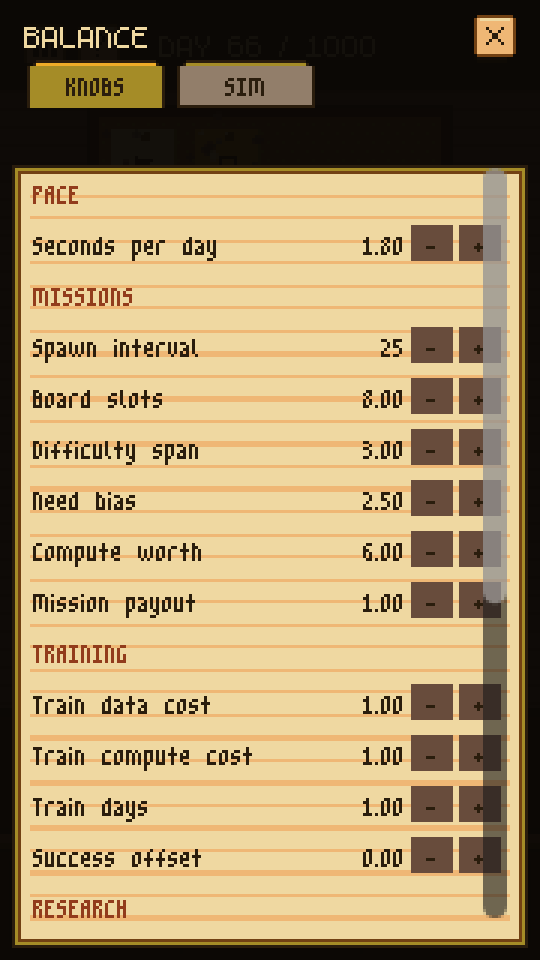
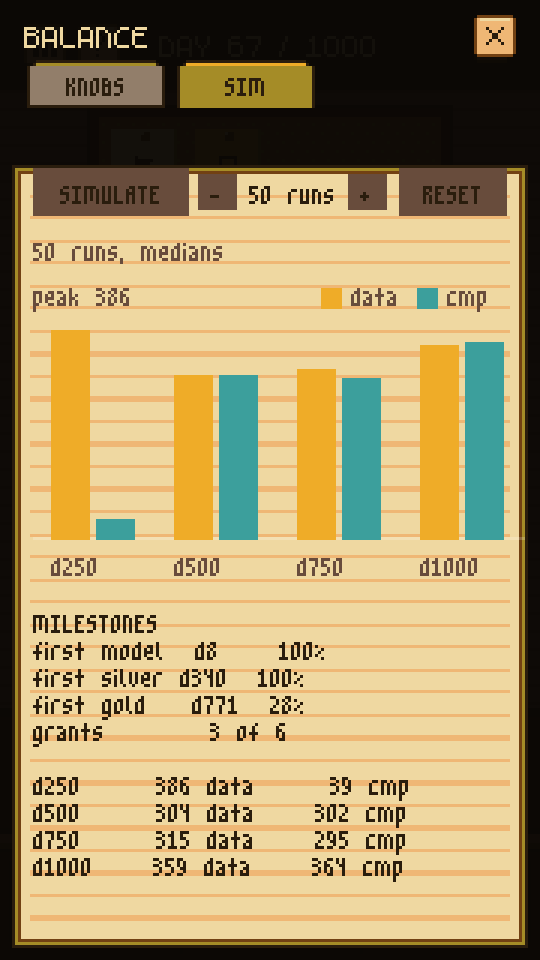
I admit, this wasn’t one-shot: I still have to do many runs to test the “feel” of the balance. There are many cases where the simulator says we’re at the right pacing, but it still doesn’t “feel good.” This led me to some tricks to help the player such as showing missions with the payout the user currently needs and being more lenient in its success conditions. However, this is a massive unlock for me: I sometimes find balancing to be tedious and dull, and the effort required to make perfect balance is more than I can give for a hobby side project. Claude being able to turn these into a set of sliders and knobs I can just tweak will improve the future games I’ll build.
Final Thoughts and Reflections
Idle Frontier is my first foray into AI-aided game development. In retrospect, creating a systems-heavy game is the perfect use case for Claude; I can definitely see this being extended to roguelikes or platformers. I’m also quite curious about how these models could be used in genres like interactive fiction or visual novels—though I’ve grown averse to Claude-like writing, so that will be a challenge.
Recently, I’ve been seeing the proliferation of one-shot games. The clips look quite fun, but when I tried playing a few, I was easily taken out by tells that it was AI in some way. I noticed that there’s a bit of sameness in these games that I can’t quite accurately point out. I admit that I also feel Idle Frontier has given me that same feeling of sameness: the icons are “too perfect” and “too streamlined.” In some ways, I appreciate the charm and clunkiness of my older games, despite this game having better technical execution. I also noticed that outside my AI-bubble, there’s definitely some adversity in the use of AI in the game development community. For example, Itch.io has an AI disclosure form, and the subreddits and Discord groups I frequent seem to treat that disclosure as a target on the creator’s back. I find all of these very interesting.
What I really like about making games is that the real judge of a game is simply whether a human finds it fun—whether it’s built with AI or not. There’s something embodied about it. It’s very different from a field like, say, academic publishing, where there is so much machinery sitting between the work and any real judgment of it.4 Games, in the end, cut through all that: you make something, and a human either has fun or they don’t. It’s direct.
That said, I hope Idle Frontier brings you fun.
References
- Jared Kaplan, Sam McCandlish, Tom Henighan, Tom B. Brown, Benjamin Chess, Rewon Child, Scott Gray, Alec Radford, Jeffrey Wu, and Dario Amodei. 2020. Scaling Laws for Neural Language Models. Preprint, arXiv:2001.08361.
- Jordan Hoffmann, Sebastian Borgeaud, Arthur Mensch, Elena Buchatskaya, Trevor Cai, Eliza Rutherford, Diego de Las Casas, Lisa Anne Hendricks, Johannes Welbl, Aidan Clark, Tom Hennigan, Eric Noland, Katie Millican, George van den Driessche, Bogdan Damoc, Aurelia Guy, Simon Osindero, Karen Simonyan, Erich Elsen, et al. 2022. Training Compute-Optimal Large Language Models. Preprint, arXiv:2203.15556.
-
Check out our work in Multilinguality at the Edge: Developing Language Models for the Global South! ↩
-
Although I consider myself proficient in Python, the design space in Godot is quite different and took me some time to even wrap my head around. ↩
-
Since most of the gameplay information is in JSON, I can just read it through Python, parse it into a dictionary, and write a non-GUI simulator to see how they interact. ↩
-
And this machinery is breaking due to the rapid use of AI in research. A common refrain during the past conference cycles is the explosion in the number of submissions coupled with AI reviews. I have many thoughts and reflections about this, especially on how it changed my perspective of impact in research. ↩